The home inventory app for iPhone Duo Unfold to review.
Film a room, then open the phone. Your room fills one side and the whole form fills the other.

Every item,
right where it sits.
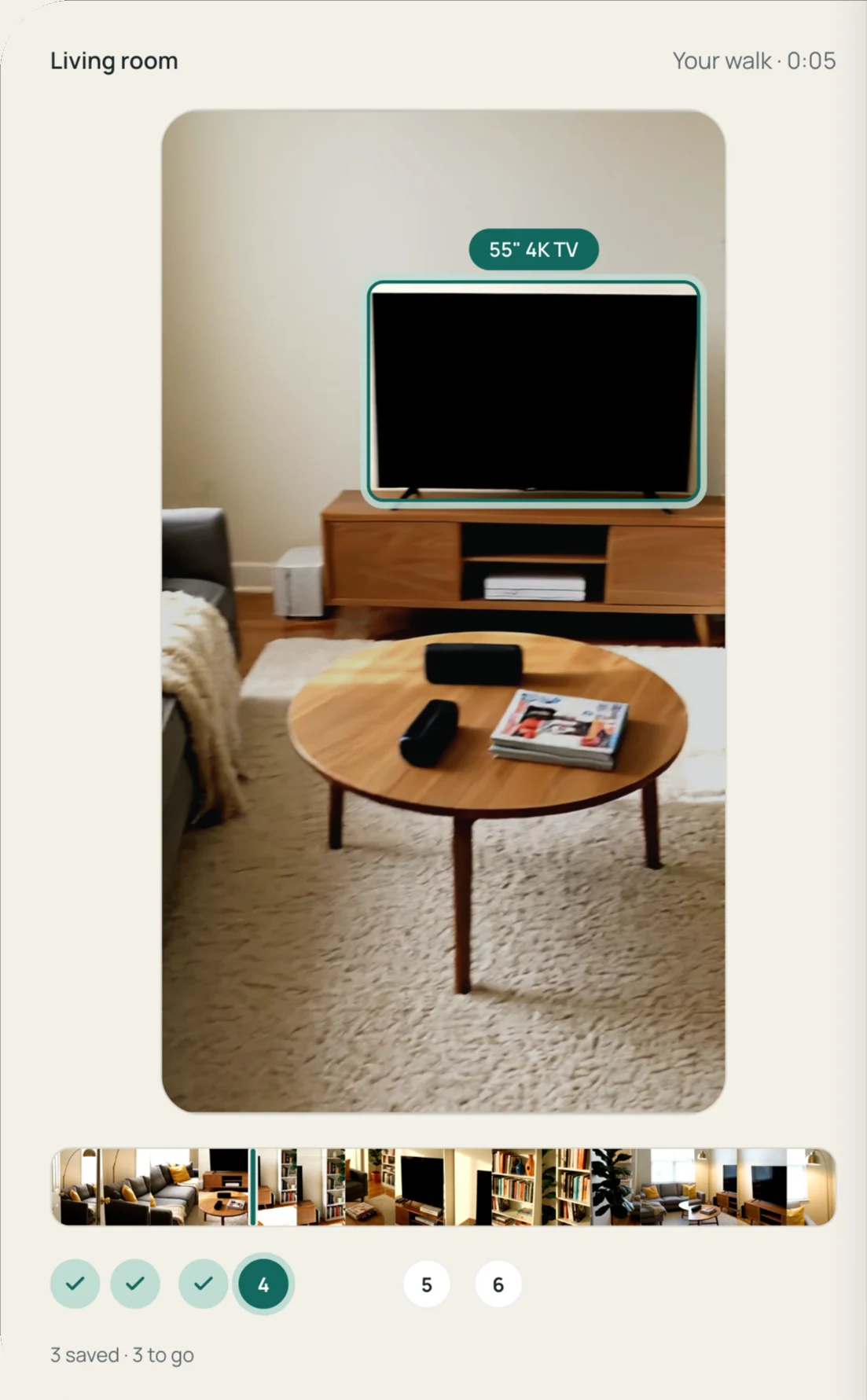
Each item is outlined in the frame where you walked past it, so you can tell which lamp it means. The rest of the room stays in view around it.
In the order
you walked it.
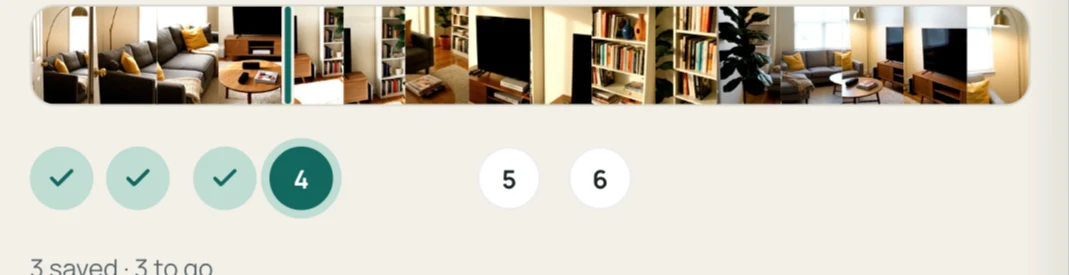
Items come up in the order you filmed them. A check means saved and a dashed ring means skipped. Tap a marker to jump to that item, or drag along the strip to look around the room.
The whole form.
Nothing tucked away.
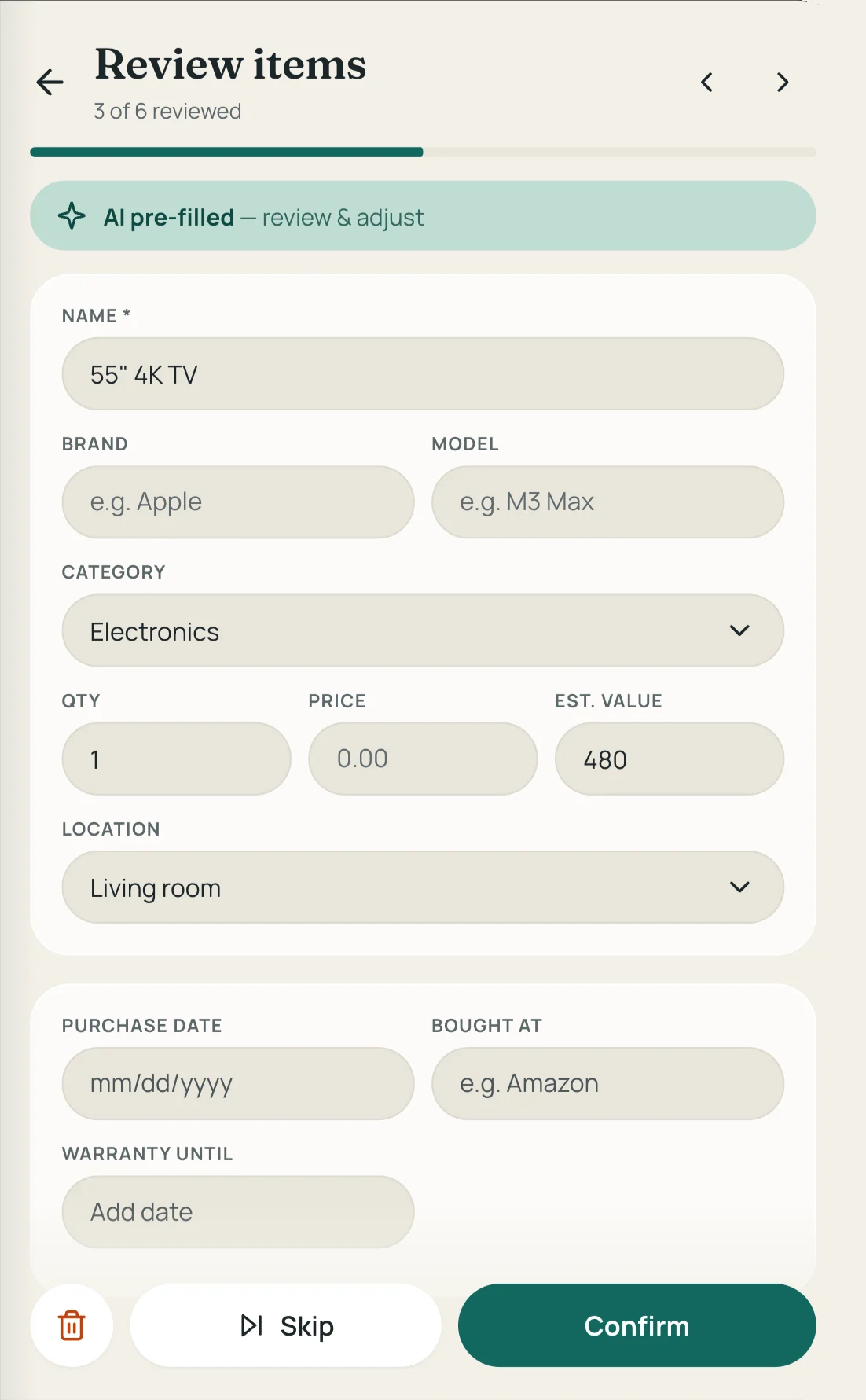
Name, category, value, location, purchase date and warranty are all open on the right, with no extra taps to reach them.
Fold it mid-item.
Close the phone and you're on the same item, with anything you typed still there. Open it again and the room comes back.
Not on a Duo? The same view opens on an iPad held sideways and in a wide browser window on your computer.
iPhone Duo questions.
- Does Manifest work on iPhone Duo?
- Yes. Get version 1.4.7 or later from the App Store. When you review a room you filmed, unfold the phone and hold it sideways, and the room and the form sit side by side.
- What changes when I unfold the phone?
- Folded, you review one item at a time on the outer screen. Unfolded and held sideways, the room fills the left side with the current item outlined, and that item's whole form fills the right. Items come up in the order you walked.
- Do I need an iPhone Duo to use Manifest?
- No. Manifest works on any iPhone and on the web. The side-by-side review also opens on an iPad held sideways and in a wide browser window on your computer.
- How much does it cost?
- It's free for 7 days on the web or iPhone, and you don't need a card to start. Your items stay yours if you don't upgrade.
Walk a room. Open the phone.
Free for 7 days on the web or iPhone. No card needed.